What Is IPTV? A Plain-English Guide for Canadians (2026)
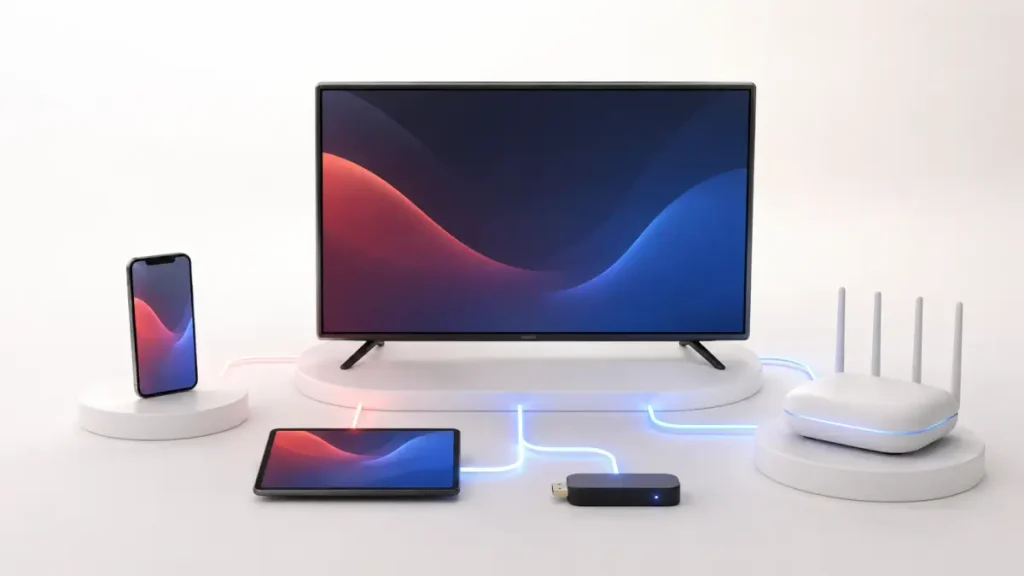
If you have started shopping around for a way to watch TV without a traditional cable box, you have probably run into the term IPTV. It gets thrown around a lot, often without anyone stopping to explain what it actually means. This guide fixes that. In plain English, we will cover what IPTV is, how it differs from both cable and streaming apps like Netflix, how it works behind the scenes, what you need to use it, and the honest pros and cons, including where Canadian law fits in.
What IPTV actually means
IPTV stands for Internet Protocol Television. That is a technical way of saying television content is delivered to you over the internet, using the same TCP/IP protocol suite that runs email and web pages, rather than over the airwaves (terrestrial broadcast), a cable line’s radio-frequency signal, or a satellite dish.
Here is the core idea. The video content is encoded and stored on servers. When you press play, that content is sent to your device as IP data packets over your broadband connection, on request. Instead of a channel being constantly broadcast at you whether you are watching or not, the content comes to you when you ask for it.
In practice, IPTV services are usually grouped into three types, and it helps to know the names:
- Live TV — linear channels running on a schedule, the way a traditional TV channel works.
- Video on Demand (VOD) — a library of films and shows you start whenever you like.
- Time-shifted TV — catch-up or replay, so you can watch a programme that already aired.
Because everything travels as internet data, IPTV can also enable interactive features, in-programme messaging, and the time-shifting mentioned above.
How IPTV differs from cable and satellite
Cable and satellite send you a signal down a physical line or through the air, and your set-top box tunes into it. Every channel is being pushed to your home at once, and the box simply picks the one you selected.
IPTV flips that model. Nothing is being pushed to you constantly. When you choose a channel or a film, your device requests that specific stream and the server sends it over your internet connection. The upside is flexibility and on-demand libraries. The trade-off is that IPTV depends entirely on the quality and speed of your internet connection, which we will come back to.
How IPTV differs from Netflix and other streaming apps
This is where things get genuinely confusing, because on the surface IPTV and Netflix look similar: both send video over the internet to an app on your device. The technical distinction is real, though.
True IPTV, in the strict sense, runs over a managed or private network controlled by a telecom or internet provider. Because the provider controls the pipe end to end, they can guarantee a certain quality of service (QoS). This traditionally requires a provider-supplied set-top box.
Netflix, Disney+ and similar services are technically OTT, or “over-the-top.” They run over the open, public internet using content delivery networks and adaptive streaming, with no guaranteed quality of service. OTT works on essentially any internet-connected device — a smart TV, phone, or streaming stick — with no dedicated box.
Here is the honest nuance most guides skip. Many consumer “IPTV subscription” services sold today actually deliver over the open internet, which technically makes them OTT rather than pure IPTV. So the clean textbook line between the two is blurred in real-world usage. When you see a service marketed as “IPTV,” it usually means a live-TV-plus-VOD service delivered over the internet, regardless of which side of that technical line it sits on. Treat the IPTV-versus-OTT distinction as an industry convention, not a hard rule.
The other practical difference is content. Netflix is on-demand only, and Disney+ is largely the same. An IPTV-style service typically combines live TV channels (news, sports, local networks) and a large on-demand library, which is closer to replacing your cable package than a single streaming app is.
Quick comparison
| Feature | Cable / Satellite | Netflix (OTT) | IPTV-style service |
|---|---|---|---|
| Delivery method | Cable RF or satellite signal | Open public internet | Internet (managed or open) |
| Live TV channels | Yes | No | Yes |
| On-demand library (VOD) | Limited | Yes | Yes |
| Dedicated box required | Yes | No | No (app on most devices) |
| Depends on your internet | No | Yes | Yes |
How IPTV works, in simple terms
You do not need to be a network engineer to understand the flow, but a little detail helps you troubleshoot later.
- The content is encoded and stored on servers.
- When you request a channel or title, the server sends the video to you as IP data packets over your broadband connection.
- A player app on your device receives those packets, decodes them, and displays the video.
- You typically sign in to the app with a login supplied by your provider, which tells the service what you are allowed to watch.
Under the hood, the protocols vary by use case. Traditional live IPTV has used IP multicast with IGMP (Internet Group Management Protocol) on IPv4 networks. Traditional video-on-demand has used RTSP (Real-Time Streaming Protocol). Modern on-demand and OTT-style delivery uses HTTP-based adaptive streaming, which splits the video into small chunks and adjusts quality on the fly to match your connection. You will never see these acronyms as a viewer, but they are why a stream can automatically drop from crisp HD to something softer when your Wi-Fi dips, then recover.
What you need to use IPTV
The shopping list is short:
- An internet connection — reliable broadband is the single most important ingredient.
- A device — a smart TV, a streaming stick or box, a phone, tablet, or computer.
- A player app and a subscription — you install the app, then log in with the credentials from your provider.
How much internet speed do you actually need?
This depends on the resolution you want, and on how many people are streaming at once. The commonly cited per-stream figures are below. A note on sourcing: these numbers come from IPTV vendor guides and line up broadly with well-known streaming specs, but they are illustrative rather than an official standard. As a hard reference point, Netflix officially recommends about 15 Mbps for 4K, so treat the higher 4K figures as a comfortable buffer, not a strict floor.
| Quality | Rough speed per stream |
|---|---|
| SD | ~3–4 Mbps |
| HD (720p / 1080i) | ~5–8 Mbps |
| Full HD (1080p) | ~15–20 Mbps |
| 4K / UHD | ~25 Mbps minimum, 30–50 Mbps recommended |
The important part is that these requirements stack. If one person is watching 4K while another watches HD and someone else is gaming, the household total can climb to roughly 38–70 Mbps. That is why homes with several simultaneous viewers are commonly advised to have 50–100 Mbps or more. If your video keeps buffering, insufficient speed (or crowded Wi-Fi) is the usual culprit.
The pros and cons of IPTV
No hype here — a straight look at both sides.
Pros
- Flexibility of device — an internet-connected screen and an app is often all you need, with no dedicated cable box.
- Live TV and on-demand together — you get scheduled channels plus a library you can watch anytime, which is closer to a full cable replacement than a single streaming app.
- Extra features — time-shifting, catch-up, and interactive options that the IP delivery makes possible.
Cons
- Totally dependent on your internet — a slow or unstable connection means buffering and drops. There is no getting around this.
- Quality can vary — services delivered over the open internet have no guaranteed quality of service, unlike a managed telecom network.
- The legal grey area — this is the big one for Canadians, so it gets its own section below.
Is IPTV legal in Canada?
The technology itself is legal. What matters is whether the content is properly licensed. Distributing or accessing copyrighted programming without a licence infringes the Copyright Act. In other words, an IPTV app is just a tool — the legality depends on what it is serving and whether the operator has the rights to serve it.
A few concrete facts help set expectations:
- Under the Copyright Act (section 38.1), a copyright owner can elect statutory damages. For non-commercial infringement, that is a total of not less than $100 and not more than $5,000 for all works in the proceeding. For commercial infringement, the range is $500 to $20,000 per work.
- Canada’s first website-blocking order was issued by the Federal Court in November 2019 against GoldTV, an unauthorized IPTV service, requiring ISPs to block its domains. TekSavvy’s appeal was dismissed by the Federal Court of Appeal in 2021, and the Supreme Court of Canada denied leave to appeal in 2022.
- In 2022, the Federal Court issued Canada’s first “dynamic” blocking order (Rogers Media Inc. et al v. John Doe 1 et al, 2022 FC 775), targeting real-time unauthorized streams of NHL games. “Dynamic” means the list of blocked servers can be updated without a fresh court order, to counter operators who keep shifting servers.
One point worth correcting, since it is often muddled: it was the Federal Court, not the CRTC, that issued these blocking orders. An industry coalition once asked the CRTC to create a site-blocking regime, and the CRTC declined, so rights-holders pursued the courts instead.
The practical takeaway for a consumer: choose a provider that is transparent about the content it offers, and understand that “IPTV” as a category spans everything from fully licensed telecom services to unauthorized operators. Legitimate, licensed managed-TV and IPTV-style services in Canada include Bell Fibe TV, Telus Optik TV, Rogers Ignite TV, and the streaming service Crave.
For transparency: IPTVCORE4K is an IPTV subscription service, so we have an interest here. That is exactly why this section sticks to what the law and the courts actually say, rather than telling you what to do — the decision, and the due diligence, are yours.
The bottom line
IPTV is simply television delivered over the internet. It sits between old-school cable (live channels, but a physical signal and a box) and streaming apps like Netflix (internet delivery, but on-demand only), combining live TV and a large on-demand library over your broadband connection. To use it you need decent internet, a device, and a subscription with a player app. The main things to weigh are your internet speed and, in Canada, the licensing status of whatever service you choose.
Frequently asked questions
Is IPTV the same as Netflix?
Not quite. Both send video over the internet, but Netflix is on-demand only and is technically “over-the-top” (OTT), running on the open public internet. IPTV-style services typically combine live TV channels with an on-demand library, and in the strict technical sense true IPTV runs on a managed, provider-controlled network. In everyday usage the line is blurred, since many services marketed as IPTV actually deliver over the open internet.
How much internet speed do I need for IPTV?
As a rough per-stream guide: around 3–4 Mbps for SD, 5–8 Mbps for HD, 15–20 Mbps for Full HD, and roughly 25 Mbps or more for 4K. These figures stack when multiple people watch at once, so households with several simultaneous streams are often advised to have 50–100 Mbps or more. These are vendor-guide estimates; for context, Netflix officially recommends about 15 Mbps for 4K.
Is IPTV legal in Canada?
The IPTV technology itself is legal. Legality depends on whether the content is properly licensed — distributing or accessing copyrighted programming without a licence infringes the Copyright Act. Canadian courts have issued blocking orders against unauthorized IPTV services (starting with GoldTV in 2019), and licensed options exist, including Bell Fibe TV, Telus Optik TV, Rogers Ignite TV, and Crave.
Do I need a special box to use IPTV?
Not usually. Traditional IPTV on a managed telecom network often required a provider set-top box, but most internet-delivered services today run through a player app on devices you likely already own — a smart TV, streaming stick, phone, tablet, or computer. You install the app and sign in with the login your provider gives you.
Ready to cut the cord?
Get 25,000+ live channels and 100,000+ movies & series in up to 4K — one-time payment, instant activation. Try it free for 24 hours first.